Series and film tracker

Know which episode you are on, in every show you watch.

NTSDB records your position in each series and film, sorts your list by what you can watch now, and keeps AniList and Trakt in step with it.

Sign in with Google or Discord.

/home
The Home page in showcase view: category chips with counts for Watch now, Waiting and Ended, then posters under Watch now, each with episodes behind, the next air date and a Mark next watched button.
Home in showcase view. Each poster carries how far behind you are, when the next episode airs, and the AniList episode where the show is linked.

Features

/home

Your list, sorted by what you can watch

Home files every show under Watch now, Waiting or Ended. Watch now is anything with aired episodes you have not seen, split by whether the show is still airing. Waiting is a show you are caught up on that is still in production, split by whether TMDB has dated the next episode. Ended holds finished and cancelled shows.

Chips filter to one group and show its count. Status, type, genre, network, country and language filters narrow the list further.

/home
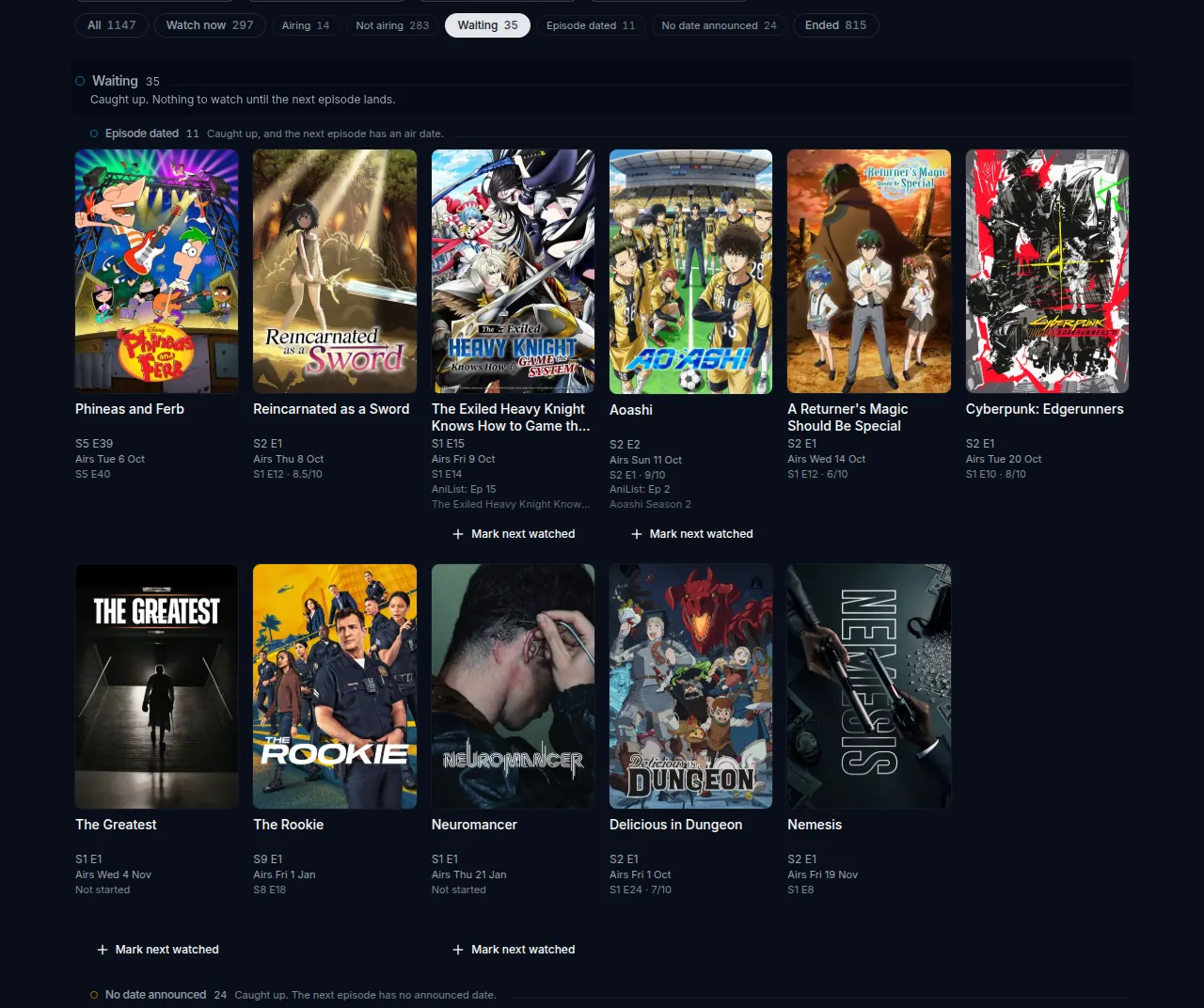
The Home page filtered to Waiting: shows under Episode dated, each with its next episode and air date, and the start of the No date announced group.
The Waiting chip selected. Waiting splits into shows with an episode date and shows without one.

/home, show detail

Where you are in each show

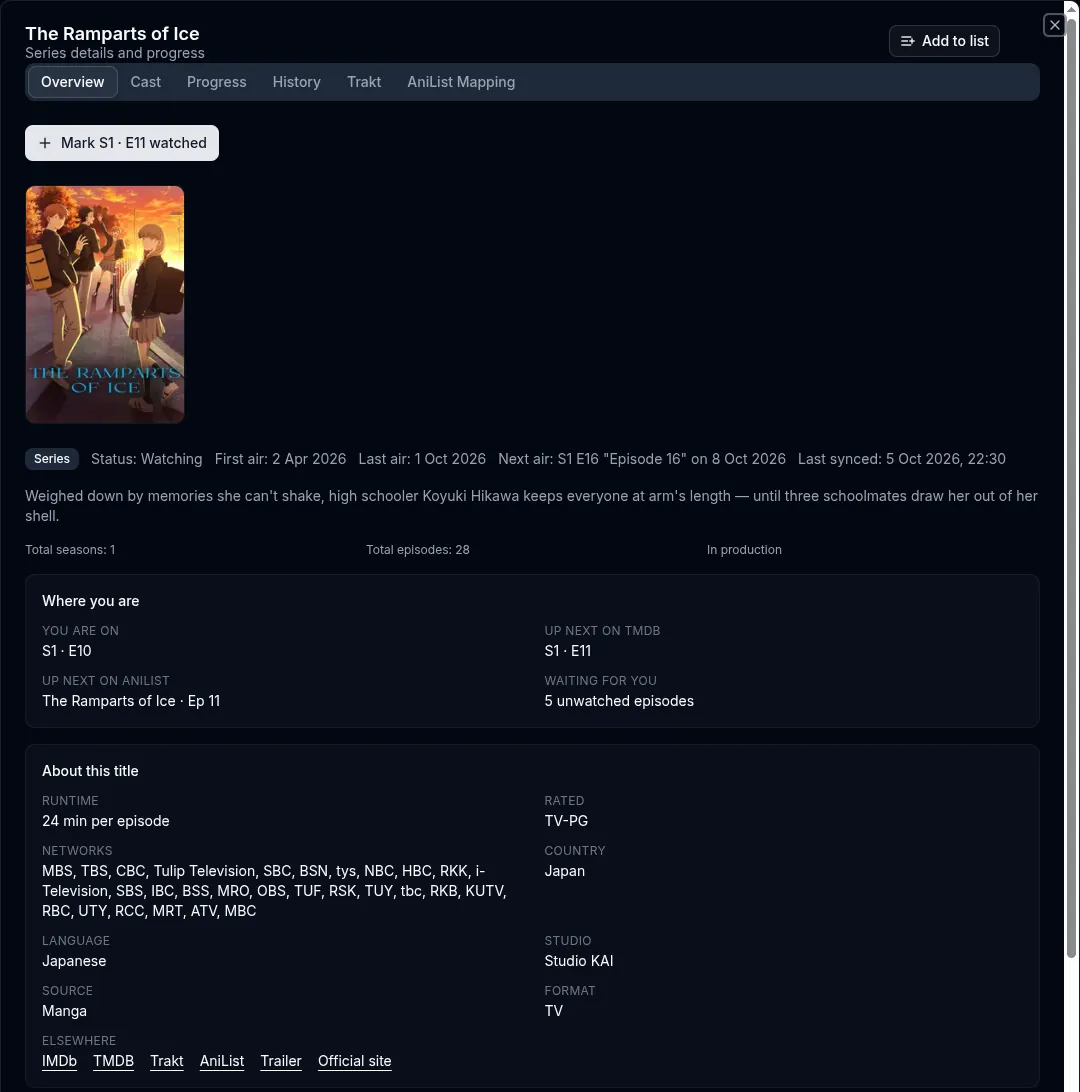
Opening a show lists the episode you are on, the next episode on TMDB, the next episode on AniList for a linked show, and how many aired episodes you have not watched. The button above names the episode it will mark.

Other tabs hold the cast, the episodes with your own rating and note for each, your watch history, and the show's Trakt and AniList links.

/home, show detail
The show detail panel for The Ramparts of Ice on the Overview tab, with a Mark S1 E11 watched button and a Where you are card listing the current episode, the next TMDB episode, the next AniList episode and 5 unwatched episodes.
The Overview tab of a show linked to AniList.

/calendar

Air dates by week or month

The calendar puts each episode on your list on the day TMDB dates it, with how many episodes you are behind on that show.

TMDB publishes no date for many shows still in production. The calendar counts those under the grid, so an empty day is not mistaken for missing data.

/calendar
The airing calendar for 5 to 11 October 2026: one column per day, each episode with its show, season and episode number and how many episodes behind you are.
A week of the calendar. On a phone the week is a list by day.

/stats

Viewing statistics

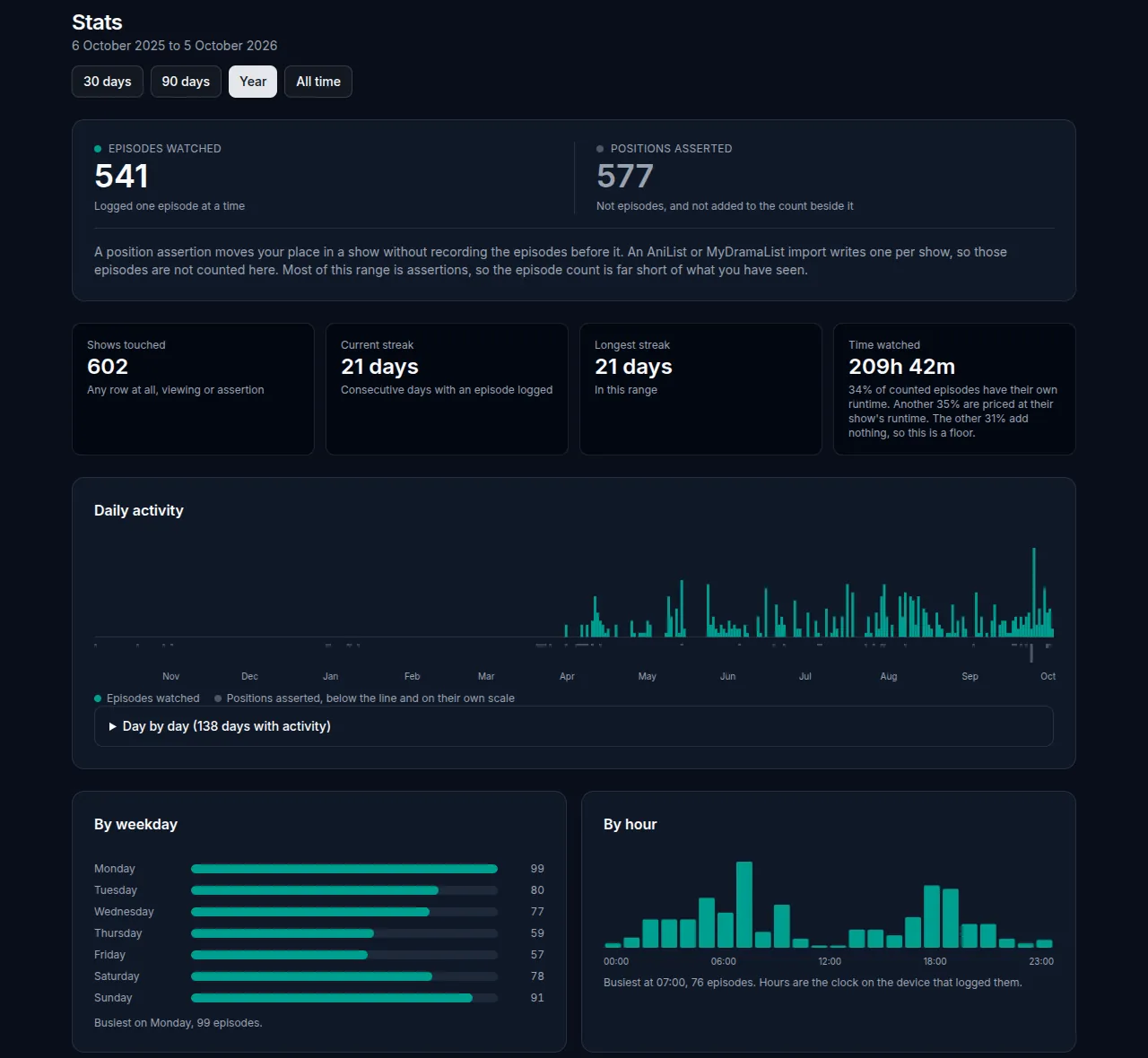
Episodes watched, streaks, estimated time watched, activity by day, weekday and hour, and your most watched shows, over 30 days, 90 days, a year or all time.

An import sets your position in a show without recording each episode. Those positions are counted beside the episode total, never added to it.

/stats
The statistics page for the past year: episodes watched beside positions asserted, shows touched, current and longest streak, time watched, a daily activity chart, and charts by weekday and by hour.
One year of statistics.

/browse

Search and filter TMDB

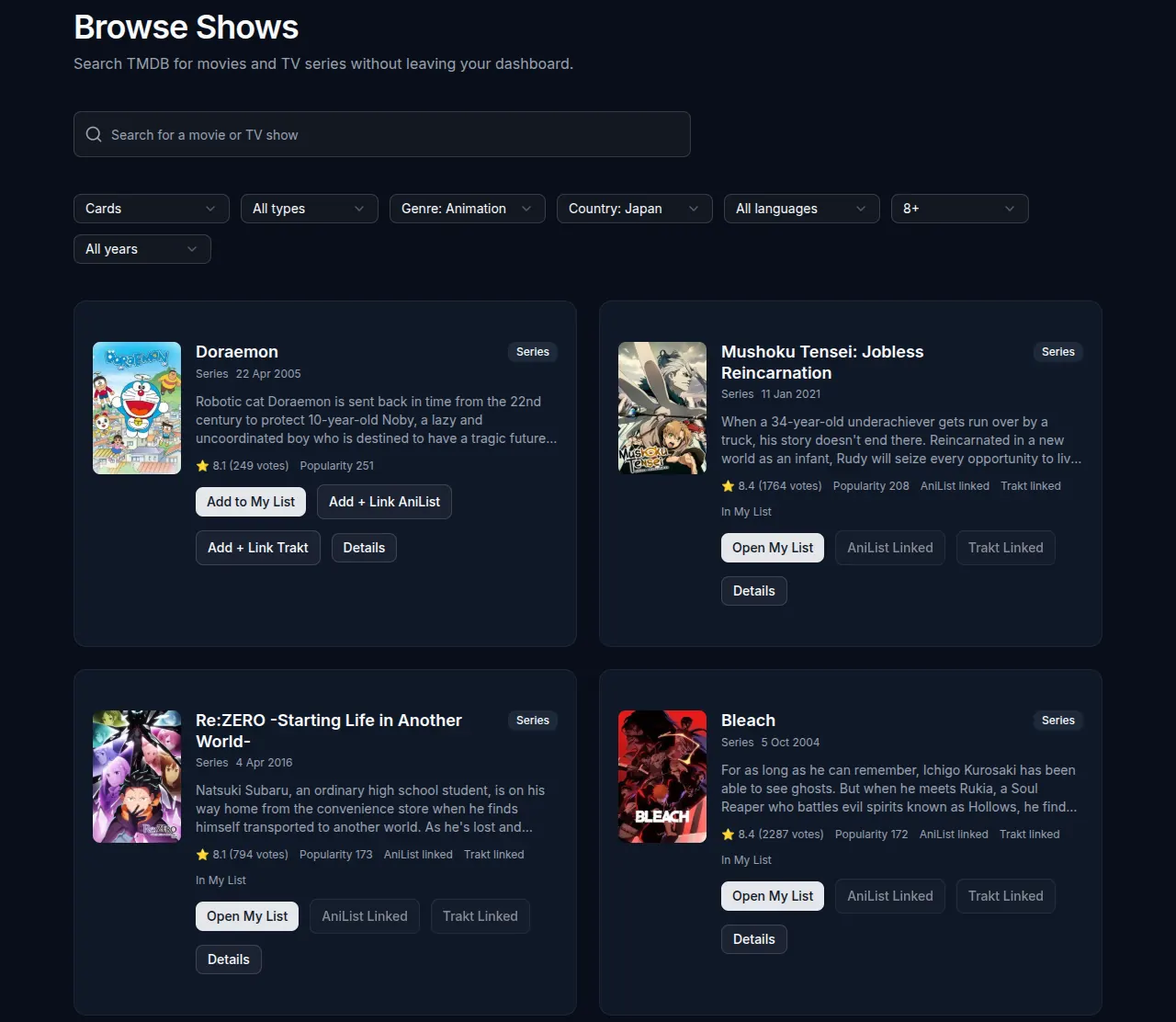
Search TMDB for series and films, or browse without a search by genre, country, language, rating and year.

Add a result to your list, or add it and link it to AniList or Trakt in one step. Titles already on your list open your entry instead.

/browse
The Browse page filtered to genre Animation, country Japan and rating 8 and above, showing result cards with Add to My List, Add and link AniList, and Add and link Trakt buttons.
Browse filtered to Animation from Japan, rated 8 and above.

/lists

Lists you order yourself

Make named lists and put the shows in the order you mean to watch them. A show can sit in any number of lists, and a list says nothing about its progress.

Reorder by dragging, with the keyboard, or with the move buttons on each row. Add a show from the Add to list button in its detail panel. Lists are private to your account.

Integrations

AniList, Trakt, and your own agents.

AniList and Trakt are linked accounts, not ways to sign in. Each is linked per NTSDB account from Settings.

/settings/integrations/anilist

AniList

Import your AniList list, then keep it in step. A status, progress or score change in NTSDB is written to AniList as you make it, and changes made on AniList are read back on the next poll.

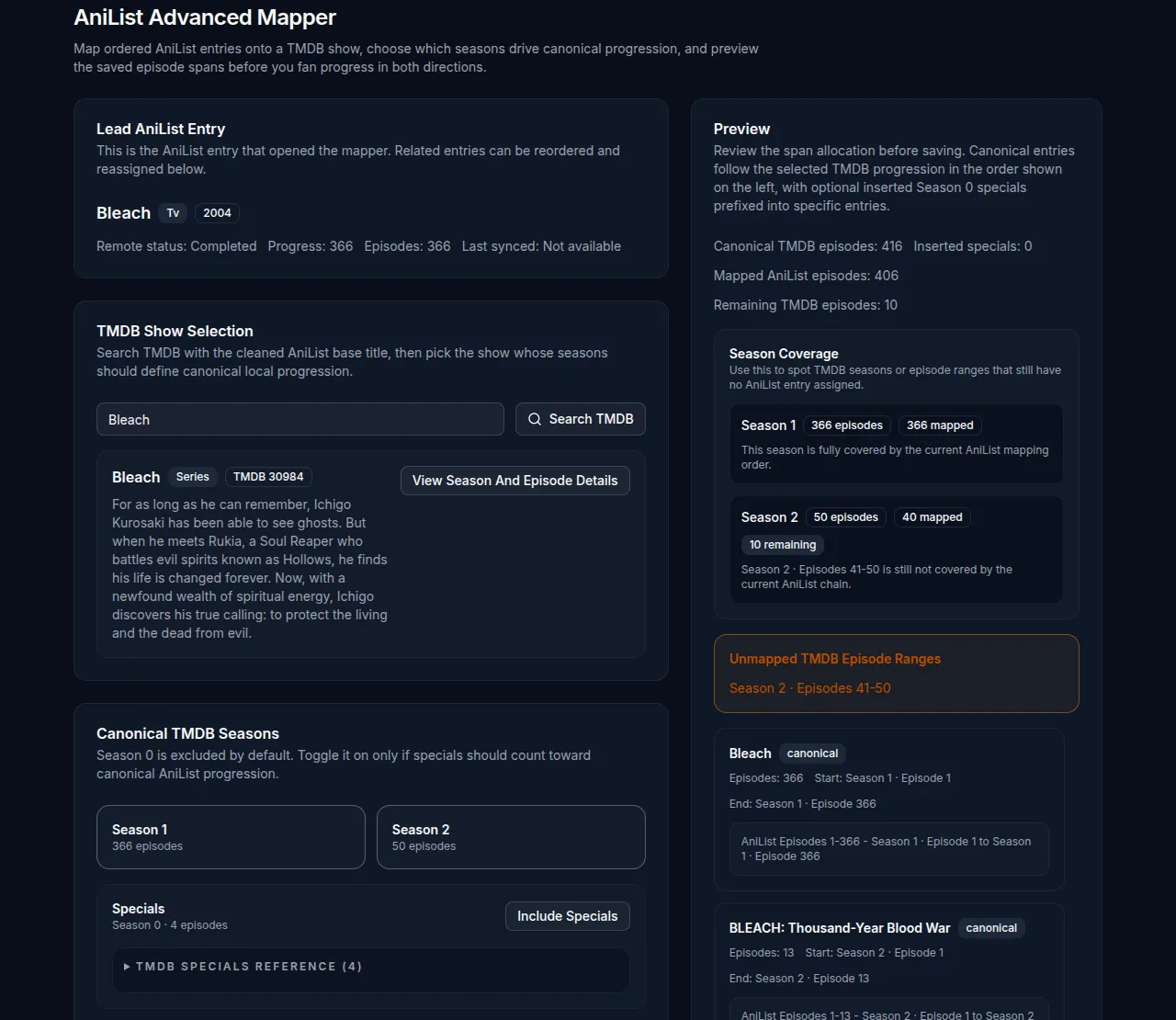
AniList often splits one TMDB show into several entries. The season mapper chains them onto TMDB seasons in order, with specials counted or left out, so an episode number on one side resolves to the right episode on the other.

/settings/integrations/anilist
The AniList advanced mapper for Bleach: the lead AniList entry, the TMDB show selection, the canonical TMDB seasons, and a preview of which TMDB episodes each AniList entry covers.
The season mapper chaining AniList entries onto TMDB seasons.

/settings/integrations/trakt

Trakt

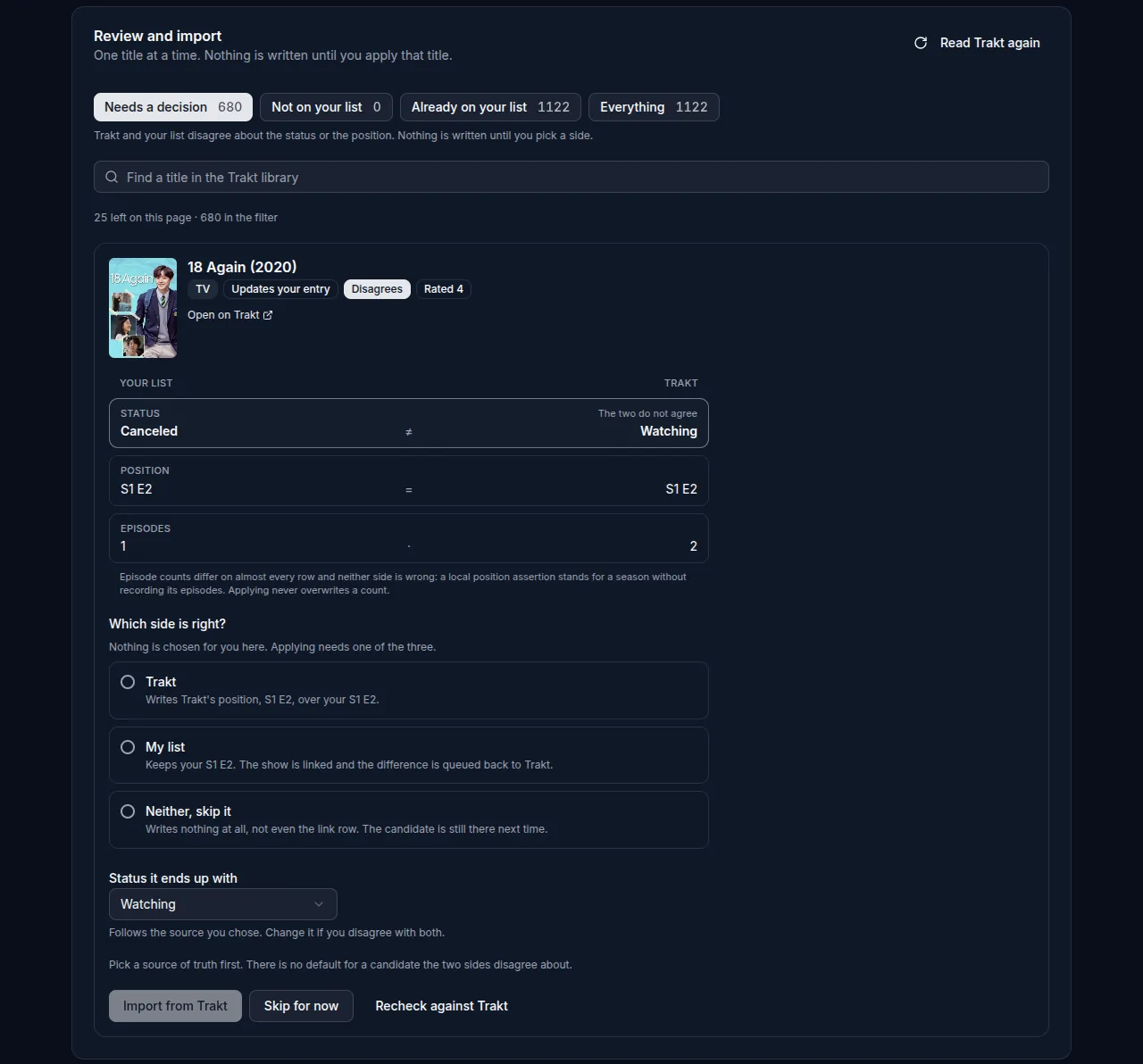
The Trakt import is a review queue. Each title shows your list and Trakt side by side, and where they disagree on status or position you choose which is right. Nothing is written until you apply that title.

Once a show is linked, each episode you mark is sent to Trakt as history in the background. If Trakt is unavailable the write waits in a queue and is retried.

/settings/integrations/trakt
The Trakt import review: one title at a time, with your list and Trakt side by side for status, position and episodes, and a choice of Trakt, My list or skip before anything is applied.
The import review. Applying is disabled until a side is chosen.

/settings/api-keys

API keys and the MCP server

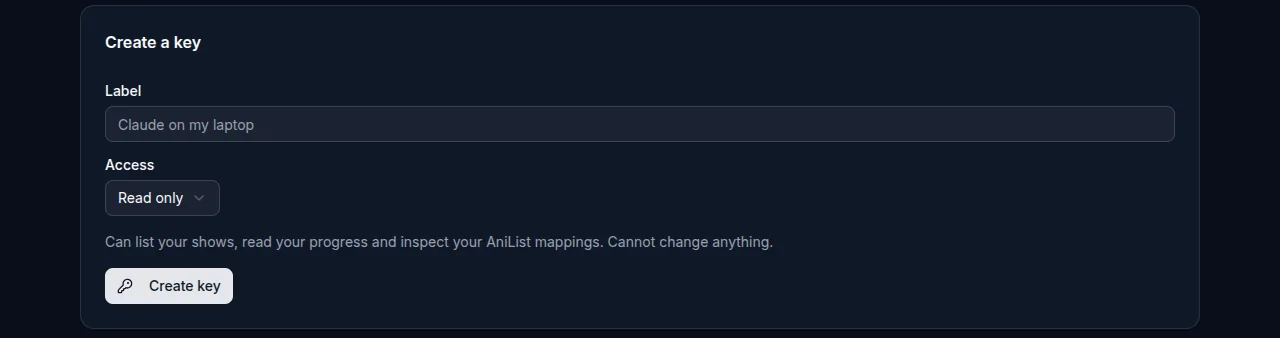
A key gives an agent or script access to your own list. Choose read only or read and write when you create it. The key is shown once and can be revoked at any time.

A key reaches your shows, progress, lists, statistics, TMDB search and the AniList and Trakt imports. It never reaches chat, social activity, account settings or other keys, and is limited to 60 requests a minute and 2,000 a day.

The NTSDB MCP server gives an agent tools such as list_shows, mark_next_watched and trakt_import_preview. It holds no credentials of its own: the key decides the account and whether anything can be written.

/settings/api-keys
The Create a key form under Settings, API Keys, with a label field and an access choice set to Read only.
Creating a key. The access choice is Read only or Read and write.
MCP client configuration
{
  "mcpServers": {
    "ntsdb": {
      "command": "node",
      "args": ["/path/to/mcp-server/dist/index.js"],
      "env": { "NTSDB_API_KEY": "ntsdb_sk_..." }
    }
  }
}
The server runs under Node and reads the key from NTSDB_API_KEY.

Your account

NTSDB uses Google or Discord sign-in to create and secure your account. The provider shares your name, email address and profile picture, which identify you. NTSDB does not post to those accounts or read any other data from them.